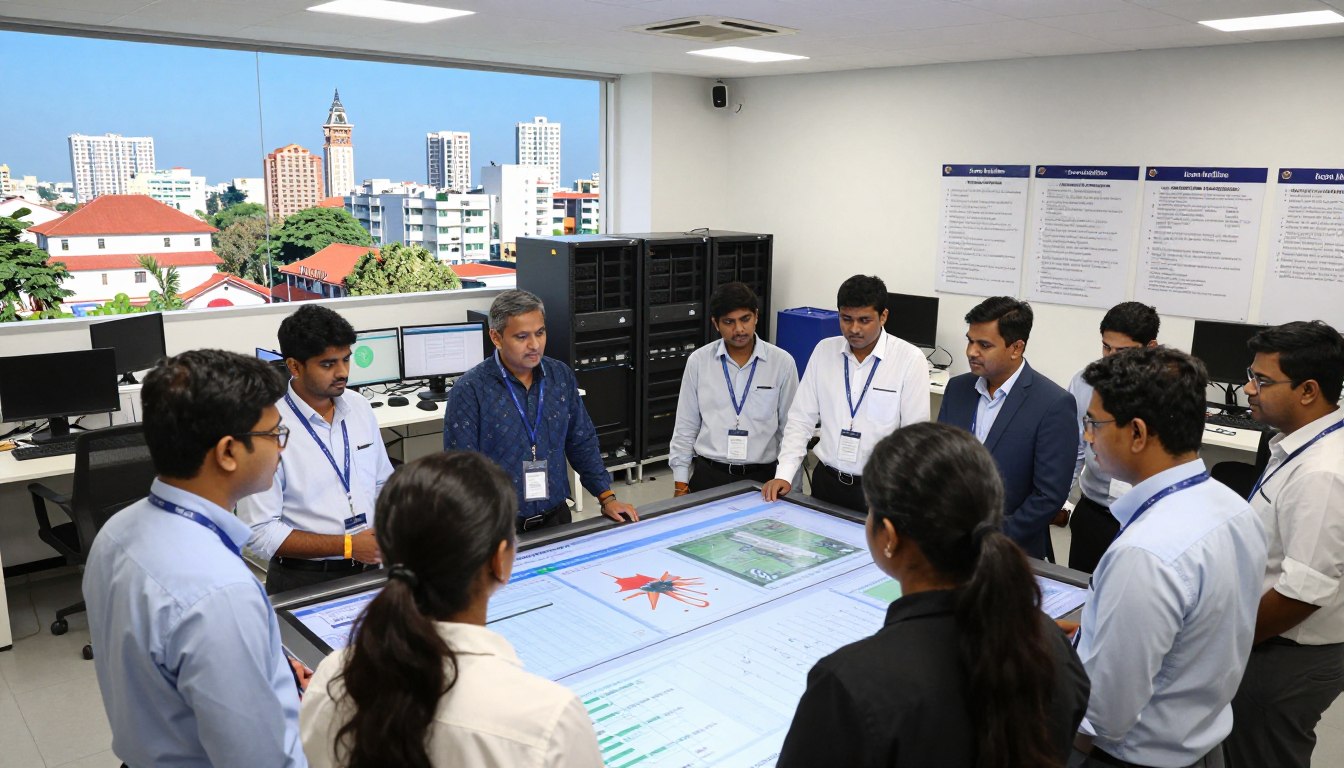
Pune serves as a primary hub for global technology and innovation. However, local firms face constant threats from monsoon-related power issues and rising cyber threats. Icon Infoline acts as an expert partner, delivering a robust disaster recovery testing strategy for modern enterprises.
Every business must prioritize its data integrity in today’s digital climate. Without a clear plan, unexpected failures can cripple vital systems within minutes. We focus on creating a shield that keeps your operations running during any crisis.
Implementing strong disaster recovery protocols is now a requirement for insurance and compliance in India. This guide outlines the essential steps to refine your organizational resilience. We cover everything from hardware failures to ransomware protection in the IT sector.
Learn how professional testing protects your future in a competitive economy. Our team ensures your business stays functional against all odds. This resource provides the roadmap for total operational continuity and peace of mind.
Key Takeaways
- Ensuring business continuity despite Pune’s unique monsoon power outages.
- Fulfilling essential requirements for cyber insurance and Indian regulatory compliance.
- Identifying critical vulnerabilities in digital systems through regular simulations.
- Leveraging Icon Infoline’s expertise for rapid restoration of sensitive information.
- Defending against increasing ransomware attacks targeting India’s technology sector.
- Adopting a structured roadmap for implementation and operational best practices.
What is Disaster Recovery Testing
Modern businesses use disaster recovery testing to confirm that their operations can survive major technical failures. This proactive approach ensures that your organization possesses the ability to handle crises without permanent damage. It bridges the gap between simply having a plan and knowing that the plan actually works.
Definition and Core Purpose
A comprehensive disaster recovery testing plan serves as a systematic evaluation process. It validates your team’s capacity to restore a critical system, diverse applications, and vital data following disruptive incidents.
This form of nonfunctional software testing assesses how effectively a business survives network issues or power outages. Beyond simple backups, it proves that your procedures actually function. It empowers your team to execute the recovery plan effectively under high-pressure situations.
How Recovery Testing Works in Practice
The methodology of recovery testing involves intentionally causing controlled failures within a secure environment. Teams simulate various disaster recovery scenarios to observe how the software reacts under extreme pressure.
This testing phase checks if the recovery workflows meet specific time objectives. This comprehensive testing differs from standard backup verification by assessing the entire response workflow, including detection and restoration.
| Feature | Backup Verification | Disaster Recovery Testing |
|---|---|---|
| Primary Focus | Data storage integrity | Full system functionality |
| Testing Scope | File-level checks | End-to-end workflows |
| Business Goal | Data availability | Operational continuity |
Real-World Example: Banking Application Recovery
Consider a banking application processing a fund transfer when the server suddenly crashes. Through recovery testing, engineers simulate this specific disaster recovery event to protect financial records.
They ensure the system maintains data integrity and prevents discrepancies once power returns. Performing recovery testing provides confidence that the recovery process works during real-life disaster recovery emergencies.
Consistent testing ensures the recovery of services is seamless and secure. High-quality disaster recovery involves rigorous testing to identify vulnerabilities before they impact customers. Organizations must prioritize disaster recovery to maintain trust and data safety.
Why Disaster Recovery Testing is Critical for Your Business
Proactive testing ensures that your business stays resilient when faced with unexpected power outages or sophisticated cyberattacks. A plan on paper is simply a theory until you validate it under pressure. By simulating a disaster, you confirm that your team and systems are ready for any risk.
Minimizing Downtime and Data Loss
Every minute of unplanned downtime can cost Pune-based companies thousands of rupees in lost productivity. Regular disaster recovery testing validates backup integrity to ensure that data loss remains within acceptable limits. This proactive approach protects your daily operations from permanent failure.
Without these checks, you might discover your backups are corrupted only after a crisis strikes. Systematic testing helps you resolve potential failure points before they impact your downtime metrics.
Identifying System Vulnerabilities Proactively
Testing reveals hidden weaknesses in your systems that could cause extended outages. It helps identify issues like signal loss or network bugs before they become catastrophic. Since human error accounts for 82% of breaches, testing builds a culture of safety. You can fix these vulnerabilities during controlled conditions rather than during a live disaster or data loss event.
Ensuring Compliance and Cyber Insurance Qualification
Many insurers now require documented proof of recovery testing before they issue a policy. For Managed Service Providers, this is often a mandatory step to qualify for cyber insurance. With ransomware causing 24% of total breaches, according to Verizon, your business must prove its recovery capabilities.
Reducing Recovery Costs and Business Impact
Frequent disaster recovery testing streamlines your procedures and removes expensive trial-and-error. Efficient operations during a crisis save money by reducing the time needed to restore critical services. It ensures your recovery team knows exactly what to do without hesitation during a real disaster.
Maintaining Customer Trust and Reputation
Your brand reputation depends on how quickly you can bounce back from a service loss. Clients value stability and often check if a business has a verified disaster recovery plan. Maintaining your Service Level Agreements (SLAs) through proven disaster recovery capabilities provides a strong competitive edge in the Indian market.
| Feature | Without Testing | With Proven Testing |
|---|---|---|
| Recovery Speed | High risk of delays | Fast and predictable |
| Financial Impact | Massive revenue loss | Minimized and controlled |
| Disaster Recovery Status | Theoretical / Unverified | Fully validated and reliable |
| Data Integrity | Unknown until disaster | Guaranteed and verified |
Types of Disaster Recovery Testing
Choosing the right types of recovery testing depends on your specific business architecture and risk profile. By categorizing these activities, your IT team can address various failure scenarios effectively.
This ensures that holistic protection is maintained across your entire digital infrastructure. It helps you prepare for both minor glitches and total site failures.
Disaster Recovery Testing for Large-Scale Failures
This specific form of disaster recovery testing focuses on an application’s ability to survive catastrophic events. We simulate power outages, natural disasters, and sophisticated cyberattacks that could wipe out a whole data center.
It involves verifying backup and restoration processes alongside real-time data replication to secondary sites. This is vital for maintaining operations during disaster events in major hubs like Pune.
Crash Recovery Testing
This approach evaluates how a system behaves after sudden, unexpected failures like application crashes or server malfunctions. It ensures that data integrity remains intact once the services restart.
We measure the time taken for the software to return to a stable state without manual intervention. This testing helps identify hidden bugs that only appear during abrupt shutdowns.
Database Recovery Testing
Database systems are the lifeblood of modern businesses but are vulnerable to corruption or ransomware. This recovery testing validates that your backup can be restored without losing critical transactions.
We focus on transaction consistency to ensure that no records are missing after the process. This is a recovery priority for financial institutions and e-commerce platforms.
Network Recovery Testing
Connectivity issues can halt your business operations just as fast as a hardware failure. Simulating failures in network connectivity, such as high latency or complete outages, helps validate your failover mechanisms.
This recovery testing confirms that communication channels remain open even during partial infrastructure loss. It ensures the network stays resilient under pressure.
Security Recovery Testing
As cyber threats evolve, your software must be resilient against breaches and unauthorized access. Security recovery focuses on containing a threat and restoring compromised systems to a safe posture.
It is a vital part of a modern disaster response plan for any enterprise. This testing helps you meet strict compliance standards for information security.
Environment Recovery Testing
Software often fails when there are changes in environment configurations or external dependencies. This testing determines how well your system recovers after a cloud service update or a middleware modification.
It ensures that your procedures account for complex interdependencies between different software layers. Proper configuration management is the key to passing this stage.
Load and Stress Recovery Testing
Pushing software beyond its normal capacity helps identify its absolute breaking points. We use this method to see if the data processing can handle extreme pressure and recover gracefully afterward.
It provides a clear picture of the expected recovery time when the load finally normalizes. This ensures your application doesn’t stay down after a sudden traffic spike.
| Testing Category | Primary Focus | Key Objective |
|---|---|---|
| Large-Scale | Total Site Failure | Restore Core Operations |
| Database | Data Integrity | Zero Data Loss |
| Network | Connectivity Failover | Maintain Communication |
Common Disaster Recovery Scenarios You Must Test
Organizations in Pune face a diverse range of threats that can halt operations without a moment’s notice. To stay protected, you must simulate specific scenarios that reflect actual threats to your local business environment. Testing ensures your team knows exactly how to respond when a real disaster strikes and helps refine your recovery strategy.
Equipment and Hardware Failures
Hardware has a limited life and will eventually fail, making recovery preparation essential for every firm. These failures include server meltdowns, storage system crashes, and network equipment breakdowns. By simulating a disaster involving hardware loss, you prove that your redundant components can take over the workload immediately.
User Errors and Accidental Deletions
Human mistakes remain the most frequent cause of data loss in modern digital offices. A staff member might accidentally delete a vital database or apply a faulty update that crashes your systems. Testing these common scenarios proves you can restore lost information quickly without suffering permanent damage to your records.
Cyberattacks and Ransomware Threats
Cyber threats have evolved from simple viruses to professional ransomware attacks that target sensitive data. Because ransomware now accounts for nearly a quarter of all breaches, your disaster plan must handle these scenarios effectively. Frequent testing validates your recovery speed and ensures your backups remain untouched by malicious encryption.
Natural Disasters and Power Disruptions
In Pune, heavy monsoon rains often lead to flooding and infrastructure failures. These disasters can cause long-term power loss or even destroy a physical data center. Testing for power outages and site destruction ensures your operations continue even during the most severe seasonal disasters.
Loss of Critical Staff and Access Credentials
Sometimes the disaster is not technical but relates to the people who manage your infrastructure. If a key administrator is unavailable due to illness or resignation, you might lose access to vital passwords. Your recovery testing should confirm that multiple people can access the systems needed to keep the business running.
Cloud Service Outages
Many companies believe the cloud never fails, but major outages happen to even the largest providers. Global platforms like AWS or Azure experience downtime that can halt your data access. Including cloud scenarios in your disaster recovery tests helps you maintain availability when third-party services go dark.
Beyond these typical events, you must also consider unexpected physical incidents. A simple event, such as a distracted driver crashing through a server room wall, can create an immediate crisis. The following table summarizes common threats and their potential impact on your business continuity.
| Scenario Category | Primary Risk | Impact Level |
|---|---|---|
| Natural Events | Monsoon Flooding | High |
| Cyber Threats | Malware Infections | Critical |
| Human Factor | Accidental Deletion | Medium |
| Infrastructure | Utility Outages | High |
Testing for every possible threat ensures that no event can take your business completely offline. By documenting your results for these various disasters, you build a resilient culture that values uptime and security above all else.
How to Implement Disaster Recovery Testing: Complete Step-by-Step Guide
Building a resilient digital infrastructure starts with a clear, actionable roadmap designed to uncover hidden system weaknesses. Your disaster recovery plan requires more than just storing data in the cloud. It demands a rigorous validation process to ensure your business stays operational during a crisis.
By following these steps, organizations in Pune can transform their recovery plan from a static document into a functional shield. Every stage of testing disaster recovery adds a layer of confidence to your business continuity strategy. Let us look at the essential phases of this planning journey.
Step 1: Conduct Comprehensive Risk Assessment and Impact Analysis
This initial stage helps you understand what you are protecting. You must look at your internal processes and external threats to build a solid disaster recovery plan.
Identify Potential Disaster Scenarios
Create a list of scenarios where your software or hardware could fail. Focus on common issues like data corruption, network outages, and server hardware failure. You should also consider regional risks like power disruptions or cyberattacks.
Evaluate Likelihood and Business Impact
Assess how likely each scenario is to occur in your specific environment. Determine the potential consequences for your daily operations. This evaluation allows the team to prioritize disaster recovery efforts on the most critical threats.
Step 2: Define Clear Recovery Objectives
Setting measurable objectives is vital for evaluating success. Without these goals, your recovery plan lacks the benchmarks needed for true disaster recovery readiness.
Establish Recovery Time Objective (RTO)
The RTO represents the maximum acceptable downtime for your systems. It defines the time your business can survive before an outage causes significant damage. Lowering this time often requires more advanced tools and automation.
Determine Recovery Point Objective (RPO)
The RPO measures the maximum acceptable data loss. It determines how much data you can afford to lose between backups. Aligning your disaster recovery plan with these objectives ensures your backup frequency meets business needs.
Step 3: Create Your Disaster Recovery Test Plan
A well-structured plan acts as a manual for your technicians. It moves your recovery plan from theory into a controlled, repeatable test environment.
Define Scope and Objectives
Clearly state what parts of the system you will test. Decide if you are validating the entire network or just a single database. This planning prevents scope creep and keeps the team focused on specific objectives.
Identify Required Resources and Tools
List all software and hardware tools needed to execute the recovery. Ensure you have the necessary licenses and access credentials ready before you start the process. Having the right tools on hand reduces delays during testing disaster recovery.
Assign Team Roles and Responsibilities
Designate who will handle specific steps of the execution. Clear roles prevent confusion when performing complex processes. Every team member must know their exact duties within the disaster recovery plan.
Step 4: Develop Detailed Test Cases
Detailed documentation eliminates guesswork during high-pressure situations. A strong recovery plan includes granular instructions for every possible failure.
Document Failure Reproduction Steps
Write down exactly how to simulate a system crash or data loss. Include all environmental prerequisites for each test. These steps ensure the recovery environment matches the failure conditions accurately.
Define Expected Outcomes and Success Criteria
Specify what a successful recovery looks like for each case. You might measure success by data integrity checkpoints or system response times. This plan helps you objectively decide if the system passed or failed.
Step 5: Set Up Your Testing Environment
Your testing environment must mirror your production setup as closely as possible. Accuracy in configuration leads to reliability in results. Match the network settings, hardware specs, and software versions to ensure the test reflects real-world recovery capabilities.
Step 6: Execute Your Recovery Tests
Run the test cases and observe how your software responds. Use the process to challenge your disaster recovery plan under realistic conditions. Stay focused on the steps outlined in your planning documents to maintain consistency.
Step 7: Monitor and Document Test Results
Keep a detailed log of everything that happens during the process. Record timestamps, error messages, and any unexpected behaviors. This documentation provides the evidence needed for a better recovery plan and compliance audits.
Step 8: Analyze Results and Identify Gaps
Compare the actual recovery results against your original objectives. Look for any procedural gaps or technical weaknesses that slowed down the time to restore. This analysis is the most critical part of the disaster recovery lifecycle.
| Analysis Phase | Focus Area | Action Item |
|---|---|---|
| Gap Identification | Technical Errors | Fix software bugs |
| Performance Review | RTO/RPO Metrics | Optimize recovery speed |
| Resource Audit | Personnel & Tools | Update team training |
Step 9: Implement Improvements and Retest
Strong improvements only happen when you act on your findings. Address the problems you discovered to update your disaster recovery plan. Rerun the test to verify that your changes successfully improved the recovery plan.
Disaster recovery is not a one-time project but an ongoing discipline. It requires regular updates as your technology and business landscape evolve.
Disaster Recovery Testing Methods and Approaches
There are several ways to verify your recovery plans, ranging from simple discussions to full-scale technical simulations. Choosing the right approach for testing disaster recovery depends on your specific infrastructure and budget. Proper disaster recovery planning keeps your business testing and operationally ready for any crisis.
Walkthrough Testing
This method involves a step-by-step review of the disaster recovery plan with the client. It ensures every stakeholder understands their role and that no steps were missed during the last update. This is the least disruptive form of testing available to modern businesses.
Tabletop Testing
A tabletop test uses a hypothetical “what if” scenario to challenge the team. Representatives from each department discuss their actions during a mock disaster recovery situation to find gaps. This approach reveals communication breakdowns without requiring technical changes to the testing environment.
Parallel Testing
This disaster recovery testing method restores systems to an alternate location, such as a cloud server. It allows you to verify recovery without stopping the actual production environment. It is a safe way to test if the backup data is usable and the systems run correctly.
Full Interruption Testing (Live Testing)
This is the most thorough way of testing disaster recovery. It involves shutting down the main production systems to see if the plan works in a real-world case. While it provides the best results, it can cause expensive downtime if the recovery process fails.
Partial or Component Testing
Partial testing targets specific parts of your infrastructure, such as a single server or application. This isolates critical systems to identify vulnerabilities without a full system shutdown. It is an efficient way to test high-priority elements more frequently.
Data Center Failover Testing
Data center failover testing moves all operations to a secondary site. This confirms that the backup infrastructure can handle the full load if the primary site fails. It assesses the effectiveness of data replication and recovery speed across different geographic locations.
Choosing the Right Testing Method for Your Needs
Most businesses use a mix of these testing methods to ensure complete protection. You should start with simple reviews and move toward more complex disaster recovery testing as your team gains confidence. A mature test strategy reduces risk and protects essential business assets.
| Testing Method | Impact Level | Primary Focus |
|---|---|---|
| Walkthrough | Low | Plan Documentation and Recovery Roles |
| Parallel | Medium | Server and Data Integrity |
| Full Interruption | High | Disaster Recovery and Case Readiness |
| Failover | High | Data Center Redundancy and Testing |
| Disaster Recovery Testing | Variable | Overall Data Safety and Test Accuracy |
Best Practices for Effective Disaster Recovery Testing

Adopting a strategic approach to disaster recovery testing helps Pune businesses transform a simple checklist into a powerful defense mechanism. These best practices ensure that your infrastructure remains resilient against any unforeseen outage. By following these practices, you can maximize the value of your recovery investments.
Schedule Regular and Frequent Tests
Many organizations only find out systems are failing after a crisis occurs. Establish a schedule for frequent testing to maintain service continuity throughout the year. We recommend at least quarterly checks for your core recovery strategy to catch issues early.
Document All Testing Processes and Results
Thoroughly record all testing processes and final outcomes. This documentation helps you find protection gaps during the next review of your plan. It also serves as essential proof of your efforts to keep critical systems running smoothly.
Test Both Technology and People
Simulations should include both your software tools and your actual staff. Give department heads specific scenarios to work through under pressure. This ensures that the human element of your recovery plan is just as strong as the technical side.
Use Automation and Modern BCDR Tools
Modern BCDR tools can automate your defense against complex cyber threats. Utilizing automation reduces manual tasks so your technicians can focus on adding value to the business. These best practices enable full-office disaster recovery testing with minimal effort or cost.
Update Your DR Plan After Every Major Change
Regularly review and update your plan even if previous tests were successful. Users often add new cloud servers or clone databases without notifying the IT department. These infrastructure changes require immediate updates to your recovery practices to prevent coverage gaps.
Failure to account for changes in your environment can render a backup useless during a real emergency. Keep your plan dynamic and aligned with your current digital footprint.
Validate Backup Integrity Automatically
Backup integrity should be verified automatically with nightly assessments of all data drives. Use technology that self-heals by re-backing up any compromised data portions. This proactive testing ensures your backup is bootable and clean when you need it most.
Share Results with Stakeholders and Insurance Providers
Share your testing results with stakeholders to reinforce your risk mitigation strategies. This documentation is essential for qualifying for cyber insurance and reducing annual premiums. It demonstrates the real value of your recovery processes and tools to the leadership team.
Conclusion
Securing your digital future requires moving from theory to verified disaster recovery testing. This proactive approach protects your core business operations from sudden failure. Today, recovery serves as a vital part of any resilient IT strategy. It is now a business necessity to mitigate the impact of ransomware threats.
A successful disaster recovery plan combines technical steps with team readiness. By simulating a disaster, you improve your ability to handle a disruption. This prevents permanent data loss during a crisis. Regular testing ensures that when disruptions occur, your time to restore production stays minimal.
Frequent recovery testing reduces expensive downtime and keeps customer trust high. This ongoing plan helps you find gaps in your disaster recovery setup early. An effective recovery plan is a journey of constant change rather than a one-time project.
For business leaders, having a solid disaster plan is vital for stable operations. Icon Infoline acts as a strategic part of your team in Pune. We help you build a disaster plan that reduces the impact of sudden downtime on your daily operations.
Now is the time to check your current recovery level and its impact on the business. Find gaps to build your ability against any future disruption. Partner with experts to ensure your disaster recovery plan provides a reliable recovery for your data and stops a disaster.
This proactive part of your strategy keeps data safe during major disruptions. Always keep your disaster recovery and downtime goals aligned with your data needs. A final disaster recovery check makes your disaster response plan stronger.
| Testing Category | Main Objective | Business Result |
|---|---|---|
| Validation | Check Backup Integrity | Reliable Data Restore |
| Simulation | Test Team Readiness | Faster Incident Response |
| Optimization | Reduce RTO/RPO | Minimal Business Impact |
About Disaster Recovery Testing
Disaster Recovery Testing is an essential process used to verify whether an organization’s disaster recovery plan can successfully restore critical systems, data, and applications after unexpected disruptions such as cyberattacks, hardware failures, or natural disasters. It involves simulating real-world incidents to ensure that recovery procedures work effectively and minimize downtime for businesses.
ICON Infoline provides professional disaster recovery testing services that help organizations validate their backup strategies, evaluate recovery time objectives (RTO), and ensure business continuity. Businesses in Pune, Pimpri Chinchwad, and nearby MIDC industrial areas rely on these services to protect critical IT infrastructure and maintain uninterrupted operations.
FAQs
1. What is disaster recovery testing in IT?
Disaster recovery testing is the process of simulating system failures or disruptions to verify that an organization can restore its data, applications, and IT infrastructure using its disaster recovery plan.
2. Why is disaster recovery testing important for businesses?
It helps organizations identify gaps in their recovery plans, minimize downtime, and ensure business operations can continue even after unexpected disruptions.
3. Do companies in Pimpri Chinchwad need disaster recovery testing?
Yes. Many manufacturing and IT companies in Pimpri Chinchwad industrial areas depend on reliable IT systems, making disaster recovery testing essential to avoid operational interruptions.
4. Is disaster recovery testing useful for industries in Pune MIDC areas?
Yes. Industries located in MIDC zones near Pune often manage large volumes of operational and production data, making regular disaster recovery testing important for data protection and system reliability.
5. Does ICON Infoline provide disaster recovery testing services in Pune?
Yes. ICON Infoline offers disaster recovery testing solutions for organizations in Pune, Pimpri Chinchwad, and nearby MIDC industrial areas, helping businesses maintain secure and resilient IT environments.